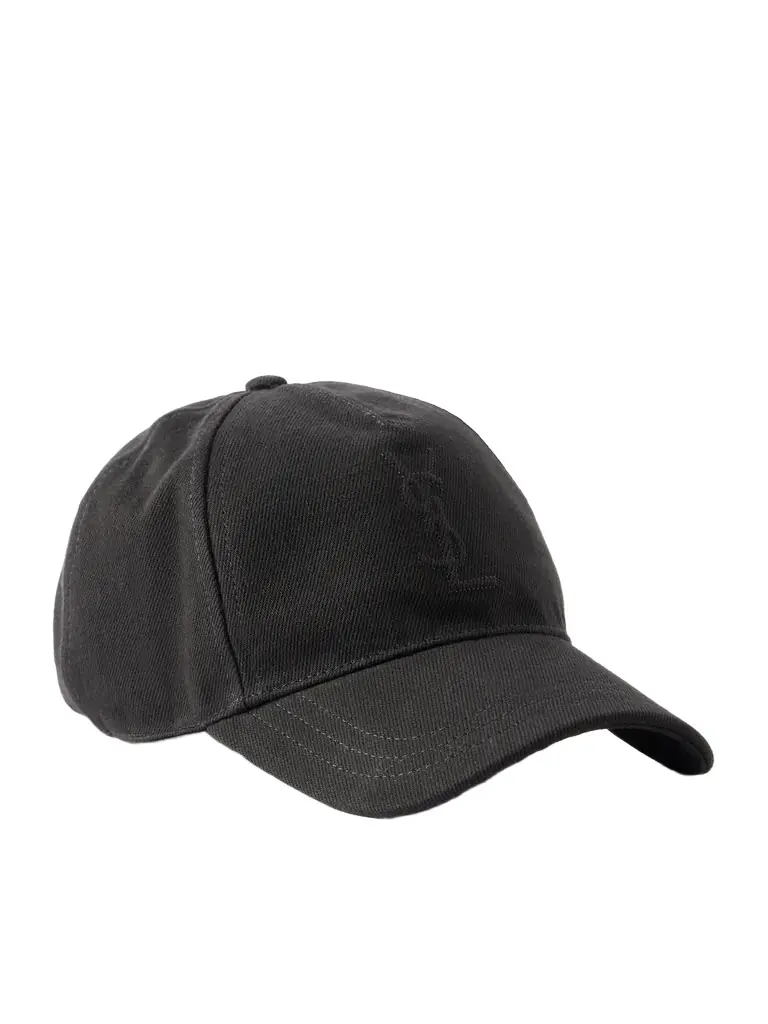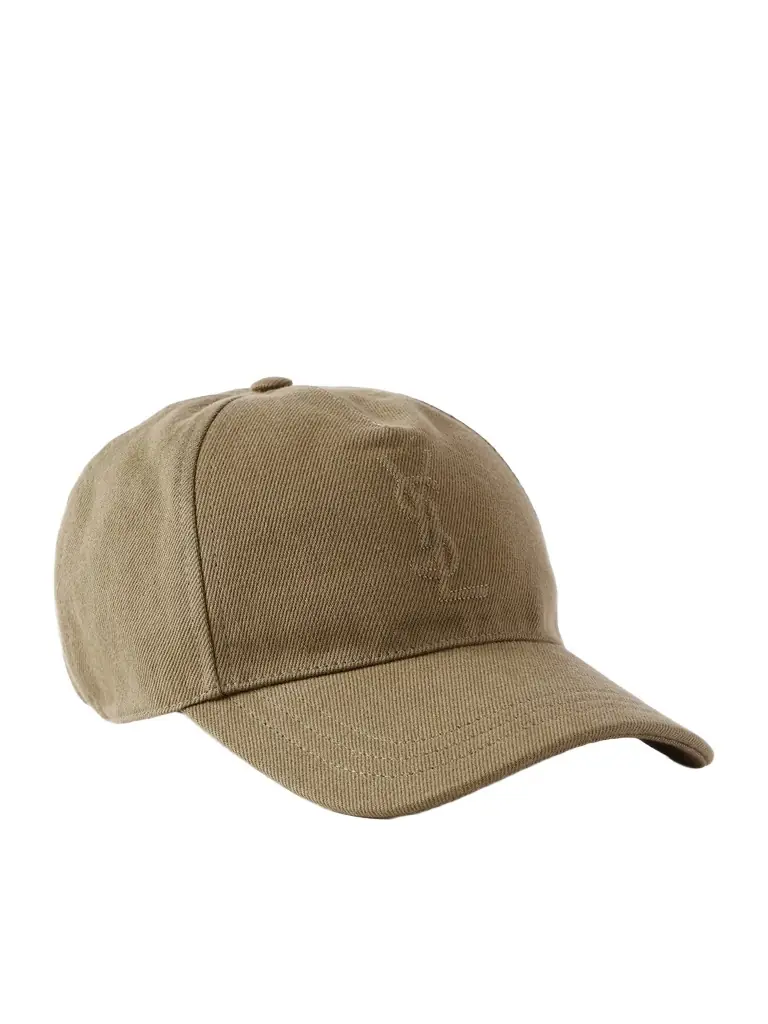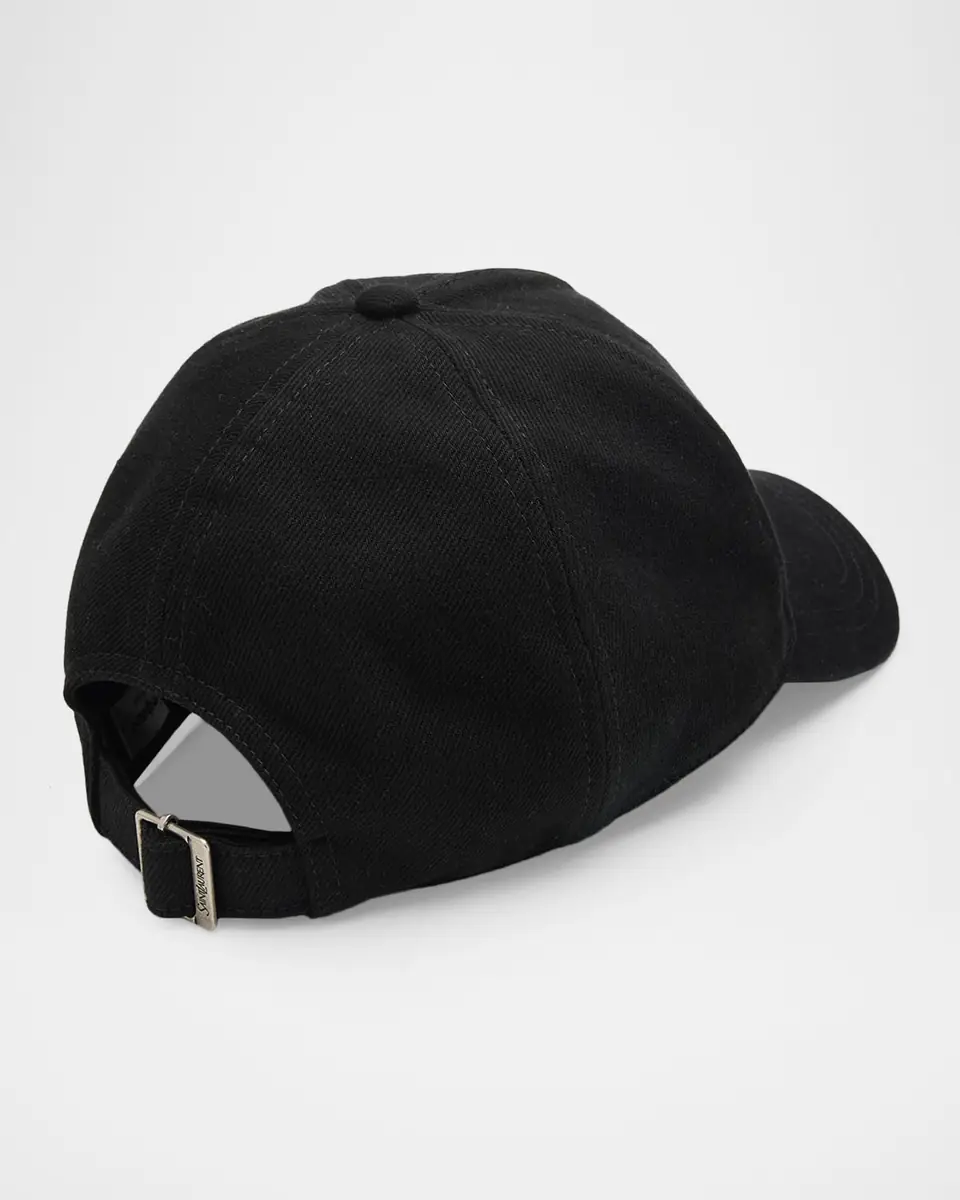
Men 's Cassandre Cotton Denim Twill Baseball Cap
SAINT LAURENT
$570Color
BlackProduct Description
Saint Laurent 's five-panel baseball cap is made with certified cotton, featuring tonal Cassandre quilted topstitching on the front. Top button Five-panel construction Cassandre quilted topstitching Adjustable back strap Cotton Made in Italy
Return Policy
14 Day Free Returns
Similar Products

Saint Laurent
Logo-Debossed Cotton-Twill Baseball Cap - Men
$550

Saint Laurent
Logo-Debossed Cotton-Twill Baseball Cap - Men
$550

Saint Laurent
Cassandre denim baseball cap
$550

Saint Laurent
Men 's 6-Panel Corduroy Logo Baseball Cap
$550
Saint Laurent
Men's Cassandre Cap in Cotton Denim Twill - Khaki
$570
Saint Laurent
Men's Vintage Baseball Cap In Corduroy - Black
$550
Saint Laurent
Men's Felt Baseball Cap - Black
$580
Frequently Asked Questions
Find answers about Vêtir ordering, support, closet services, commissions, and the AI Stylist while shopping Saint Laurent.
Getting Set Up
How do I request stylist access?
Log in to the Vêtir app as a client, navigate to your Profile (top-left corner), and select "Request Stylist Account." Once we receive your request, we will review and approve it.
How do I invite clients to the app?
Inviting clients is required before consignment orders can be placed. Here's how to do it: Log into the Vêtir app using your stylist account. Navigate to your Profile. Tap Invite Client at the top of the screen. Enter your client's full name (first and last) and email address. Tap Send Invitation. Once sent, your client will receive an email letting them know they've been invited to Vêtir and that you'll be their dedicated stylist. This links the client exclusively to you, ensures proper commission tracking, and allows you to manage orders for them. Clients are encouraged (but not required) to download the app — you can manage everything on their behalf if they prefer.
Can I place an order without my client in the app?
No. Every client must have an active profile for order tracking, payment, and commission attribution.
How is client data managed?
All client data is private and secure, accessible only to you and the internal Vêtir team. Clients are added to marketing emails unless opted out.
Can I opt my client out of Vêtir emails?
Yes — let us know, and we'll manually suppress marketing emails for that client.
What does the app look like for clients?
Clients can: Shop independently. View outfits you've created. See their digital closet and order history. Chat directly with you.
Can I use my own credit card for purchases?
Yes — add your card under your profile or request an authorization form.
Best way to introduce Vêtir to clients?
Share the Client Deck and the Closet Digitization link during your introduction.
Orders & Consignment
How do orders work on Vêtir?
There are two ways to place orders, both counting toward your commission. The main difference happens at checkout: In-App Orders (Regular Orders) — Best for items your client already wants. Paid upfront by you or your client. Checkout: Change Ordering For from Self to your client; Leave Order Type as Regular Order; Select the client's payment method and complete checkout. Consignment Orders — Used for private appointments and curated selections. Build the cart in the app like a regular order. Items can ship to you or directly to the client. You confirm kept items within 48 hours after delivery. Only kept items are billed and credited toward your commission. Checkout: Change Ordering For to your client; Change Order Type to Consignment Order; Select shipping address; Proceed to payment and select Vêtir Credit; Add a billing card (yours or client's); Tap Consign to submit. Lead Time: Please allow 1–2 business days when possible for consignment orders. Flag urgent requests to prioritize them, though giving advance notice ensures best fulfillment.
Who pays sourcing fees (if applicable)?
Fees are passed directly to the client.
What happens if a consignment item is lost or damaged?
Notify Vêtir immediately — we handle resolution with the vendor.
Commission Payments
How do I withdraw my commission?
Go to the Stylist Analytics tab → Total Earnings → Withdraw
How am I paid?
Via direct deposit through Gusto, once the 30-day return window closes.
How does commission work?
Active commission: Full commission for product recommendations, consignment orders, and shared content. Passive commission (2%): Applies when clients order directly without stylist involvement.
Commission Timeline
Commissions appear as Pending for 30 days to allow for returns. After 30 days, they move to Confirmed and become eligible for withdrawal. Withdrawals are processed within 45 days of request.
Commission Audit & Notes
Withdrawals are reviewed to ensure accuracy. Net 45 payment terms from withdrawal submission. Only confirmed commissions can be withdrawn. Withdrawals are limited to once per calendar month.
How will I know about new retail partners and my commission with those partners?
Updates are shared via email and WhatsApp.
Closet Digitization
What is Closet Digitization?
A service that turns a client's wardrobe into a digital closet. Stylists earn 25% commission on every sale.
How do I request a session?
Email concierge@vetirapp.com with the subject line: Closet Digitization Request – [Client Name | Stylist Name]. Include client name, email, shipping address, number of pieces, and preferred dates.
Stylist involvement
Join the first 30–60 minutes if possible. Pre-edit with the client to focus on items they love or wear frequently.
How is the session run?
Minimal equipment (iPhones, drop cloth). Clothing racks provided if needed. Efficient and low-impact.
Can clients/stylists add items themselves?
Yes — upload anytime for free!
Can a client have multiple closets?
Yes — organize by season, occasion, or residence.
Are purchased items automatically added?
Yes — in-app or consignment purchases go directly into the digital closet.
Managing Clients & Profiles
Can I move a client's closet from another platform?
Yes — share files/photos and we'll handle the upload.
Can I create multiple closets per client?
Yes — use tags (e.g., "Summer Travel," "Workwear") for organization.
Tips for uploading closet pieces
Ensure accurate sizing, colors, and brand info. Organize by type or use tags for easy client navigation.
Outfit Builder
How does the Outfit Builder work?
Use for client looks and curated shoppable content. Items can be selected and placed on a canvas to build outfits. Hover over items for quick details: name, brand, color, category, description.
AI Stylist
How does the AI Stylist work?
The AI Stylist helps streamline your daily workflow by learning your stylist and client preferences. You can ask it prompts like: "Show me black heel recommendations to send to my client" or "Help me build 5 outfits for my client for their upcoming event." It also avoids seasonal mismatches and speeds up outfit curation, making it easier to provide personalized recommendations efficiently. The AI Stylist is designed to support you, not replace your expertise.
Support
Who do I contact for help?
Email/text Rachael (rachael@vetirapp.com) or Katherine (katherine@vetirapp.com). Email Heetu (heetu@vetirapp.com) for order-related questions.
Returns & Exchanges
In-app orders: Email order details to Heetu and Rachael. Consignment orders: Manage directly in the app; we provide shipping labels and instructions for all returns.