Vêtir in ChatGPT and Claude: How to Shop, Style and Use Your Closet From an AI Assistant
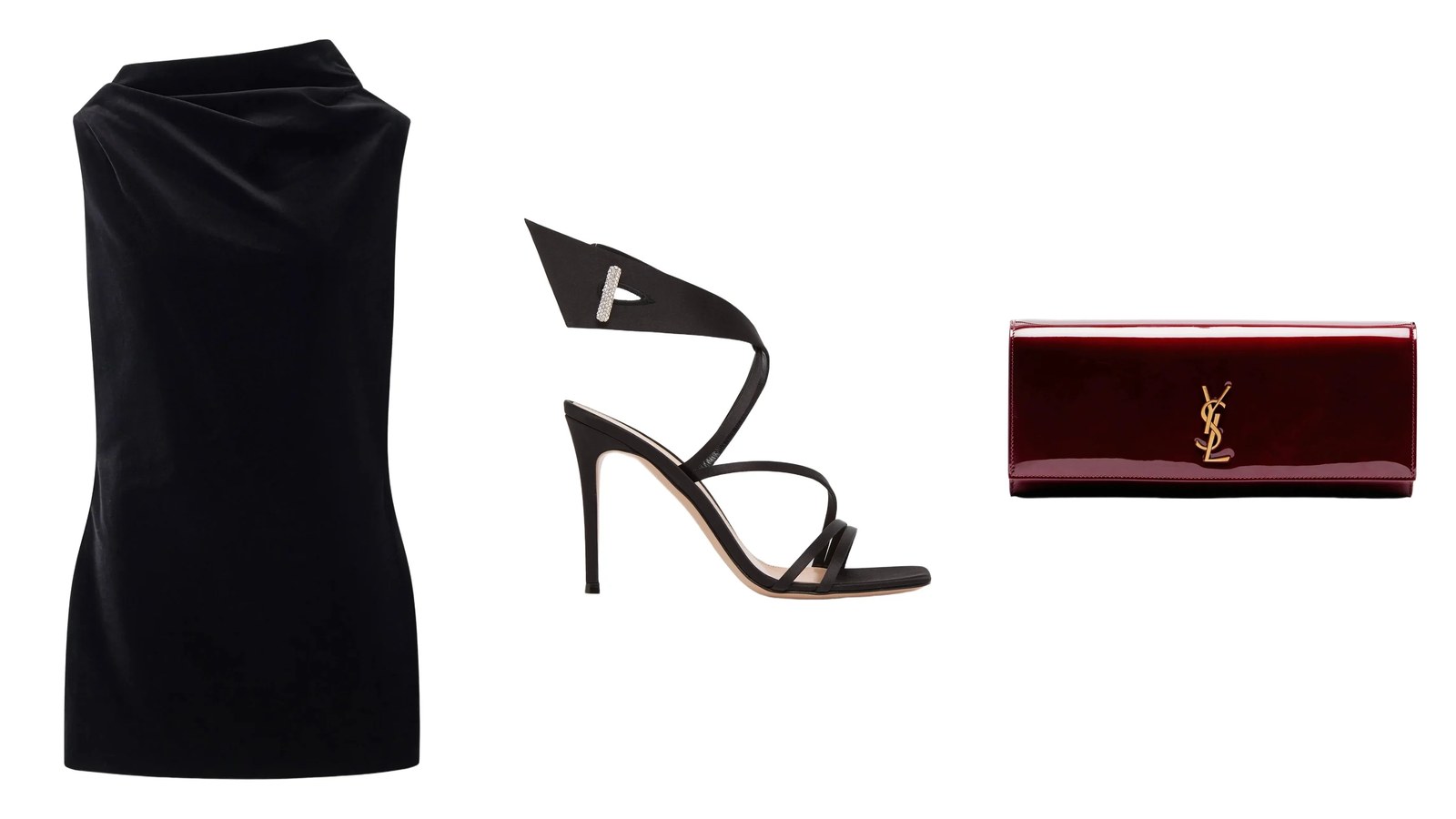
You can use Vêtir in ChatGPT, Claude, Claude Code and other AI assistants that support MCP today. Add one link, https://api.vetirapp.com/mcp, as a connector in the app's settings, and the assistant can search hundreds of thousands of designer pieces from the world's leading luxury houses and retailers, read the sizes and fit notes on any of them, find similar pieces and fill a Vêtir bag for you. Sign in to Vêtir and it can also open your digital closet and saved outfits, plan your week and ask the Vêtir AI stylist for complete looks. It cannot pay for anything: checkout always happens on vetirapp.com.
Below: what to ask, what each app may see, setup for ChatGPT, Claude and Claude Code, and an engineering look at how the server works, with diagrams. Our page for AI assistants keeps the steps for every app.
What Vêtir in ChatGPT and Claude does
The connection uses the Model Context Protocol, or MCP, an open-source standard for connecting AI applications to outside systems that its authors compare to a USB-C port. Vêtir runs an official MCP server, which an assistant sees as a short menu of tools with plain descriptions: search the shop, open a piece, fill a bag and, once you sign in, reach your closet and the stylist.
You never pick a tool. You ask in your own words, and the assistant chooses one and fills in the color, price ceiling, house or size from your question. What comes back is Vêtir's live catalog, not a web page the assistant happened to find, so every piece carries its current price, the sizes it comes in and a link. That is the difference between an AI shopping assistant for fashion and a chat that browses for you.
Shop with ChatGPT or Claude, no account needed
- Search in your own words, narrowed by designer, category, color, size and price.
- Trending and new: what is trending on Vêtir, and the new arrivals this week and this month.
- Every detail of one piece: images, price and any sale price, the sizes it comes in, size and fit notes, the description.
- Similar pieces in other houses, colors or prices, and what to wear with a piece, including saved looks that use it where Vêtir has them.
- Stylists' closets you can shop from, and a ready bag with the pieces you choose.
We ran it ourselves in late October, on the public link with no account. A search for a black cocktail dress under $3,000 came back as pages of dresses, each with its designer, price, the sizes it comes in and a link; results follow the catalog, so next week's list will differ. Asked about one of them, Tom Ford's stretch tulle cocktail slip dress, it returned the composition, care instructions, the sizes listed that day and the note that the dress is unlined and intentionally sheer: the line you want before ordering a party dress.
What works best
- Give your limits in one sentence: color, house, price ceiling and size. The assistant can pass each one to the search as a filter.
- Use the house's own sizes. Below, Tom Ford's dress comes in European sizes such as 38 and 40, Carolina Herrera's in US 2 to US 14, Victoria Beckham's in British sizes with the US size in brackets. Ask the assistant to read a piece's sizes before it builds your bag; it will not add a size the piece does not come in.
- Start from a piece you like: paste its Vêtir link and ask for something similar under a price, or what to wear with it.
After everyday clothes, party and cocktail dressing is the occasion the most clients ask our AI stylist about, and last year holiday questions began in the first week of November and peaked in late November and early December. After dark, velvet and satin catch low light; a draped high neck like Khaite's Astor needs no necklace, and a lace-edged slip wants a sheer black tight once evenings turn cold. More silhouettes are in our cocktail dress guide.
Ask: “a black cocktail dress for a holiday party, under $3,000”
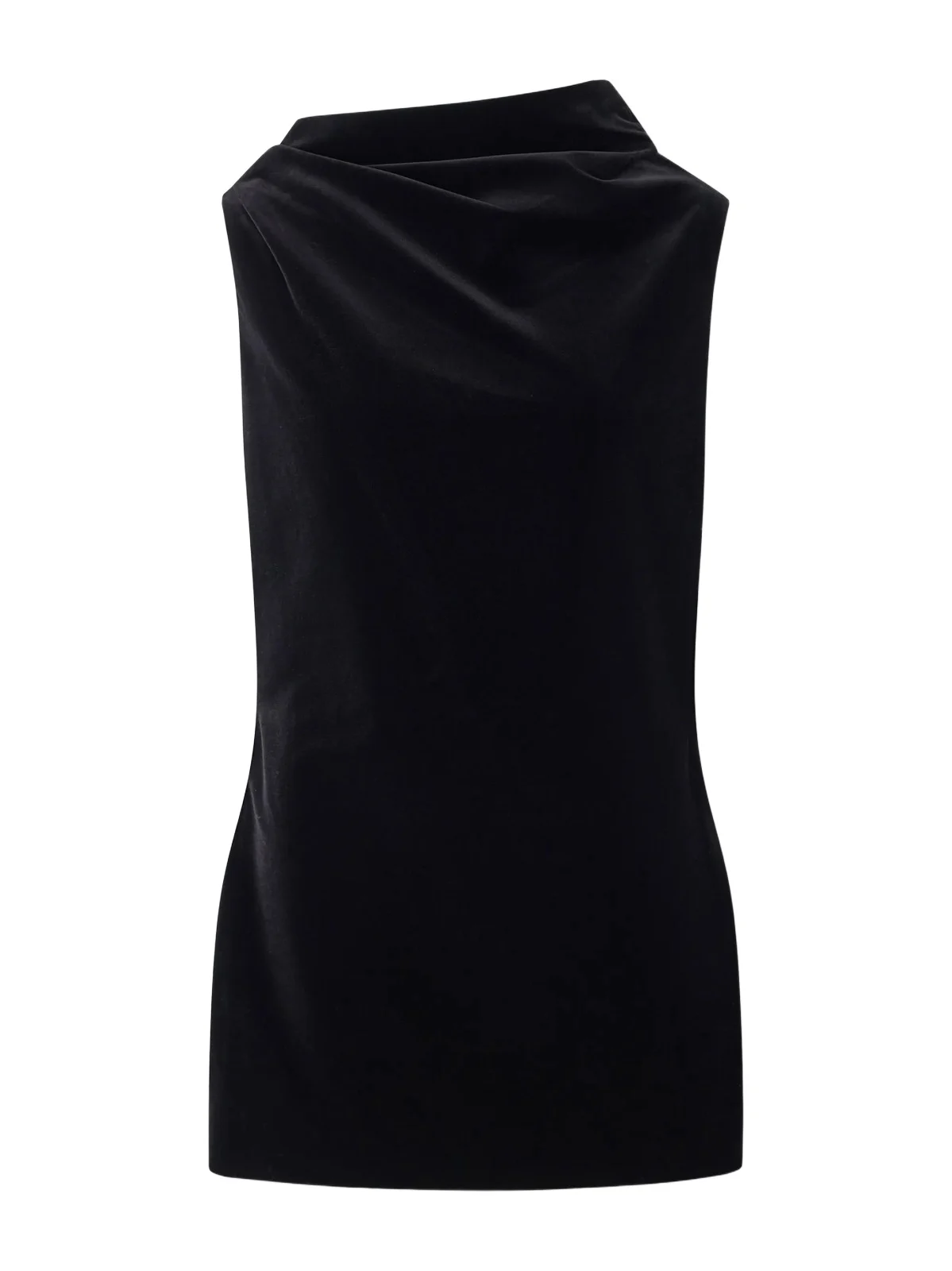 KhaiteAstor draped cotton-blend velvet mini dress$2,200
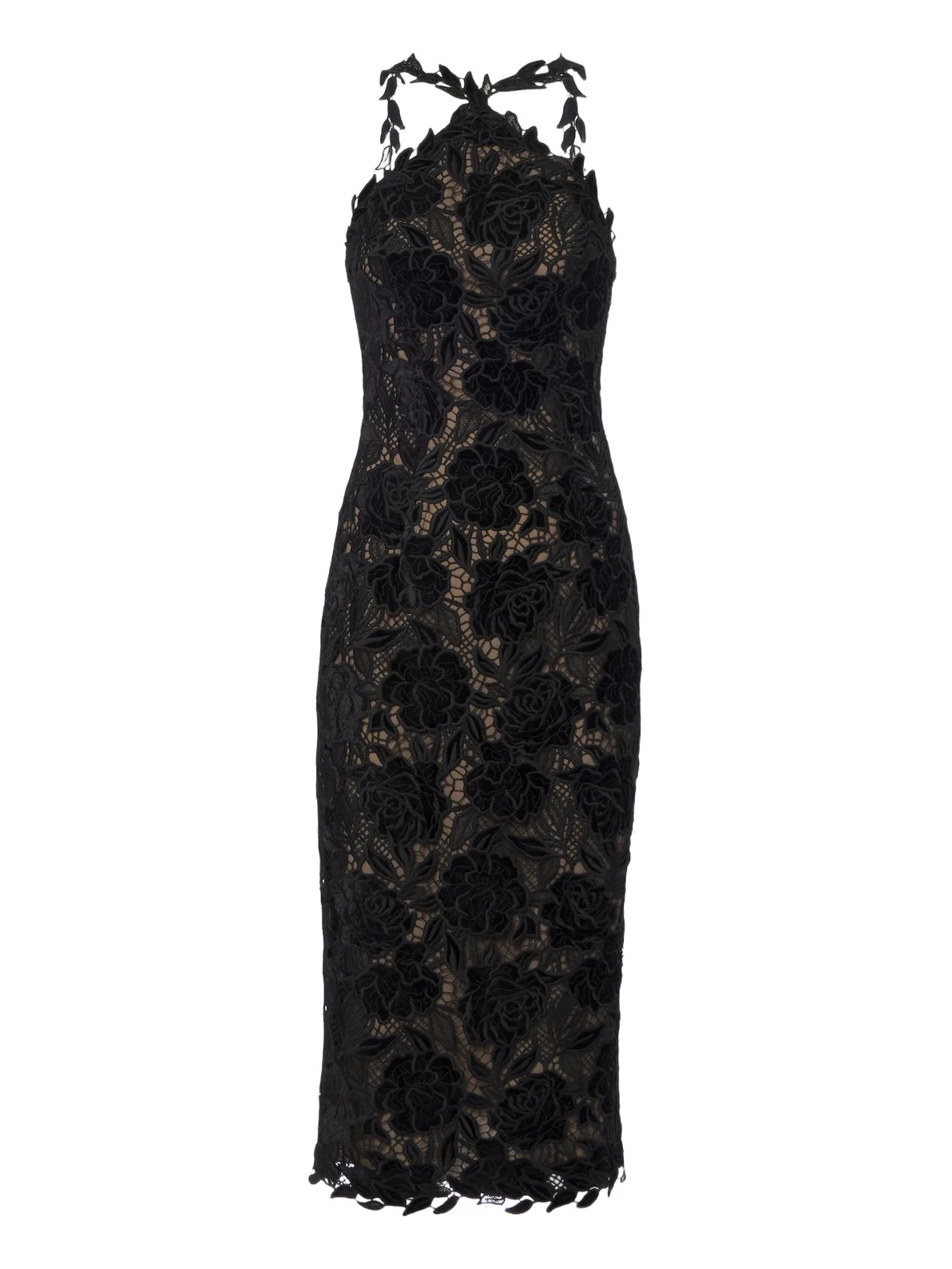 Carolina HerreraGuipure lace halterneck cocktail dress$2,990
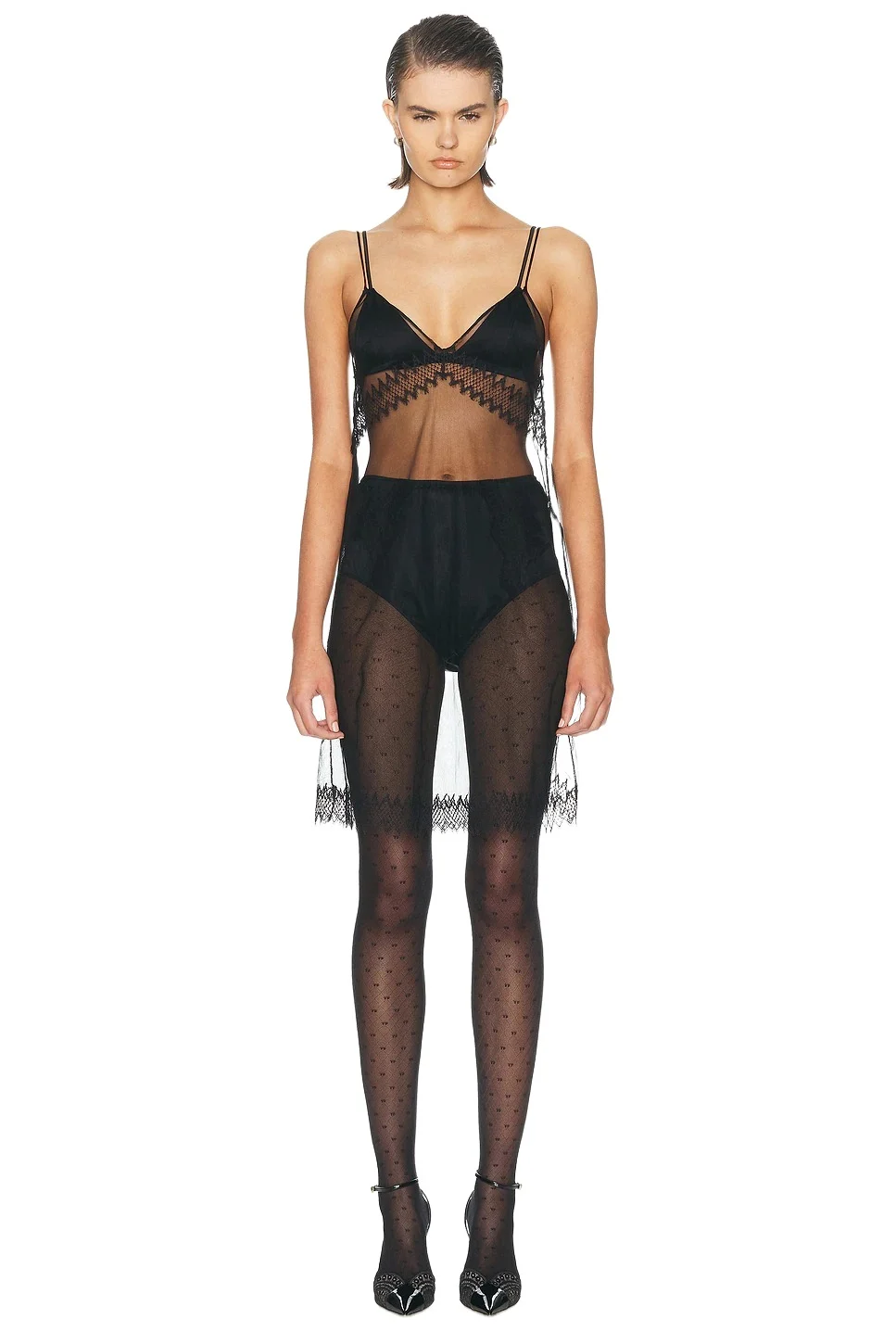 Tom FordStretch Tulle Cocktail Slip Dress$1,950
 VersaceMedusa crêpe jersey cocktail dress$2,160
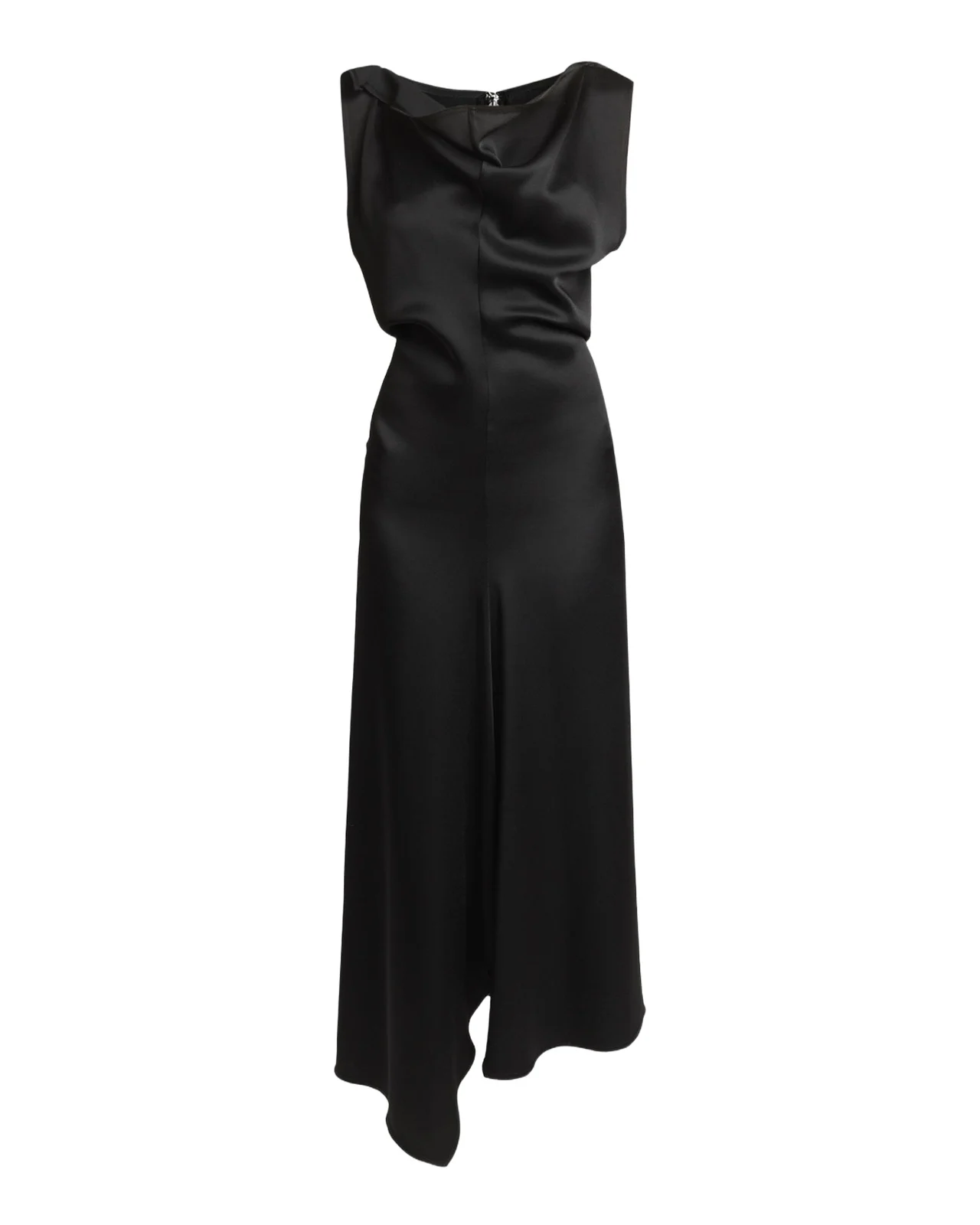 Victoria BeckhamAsymmetric Draped Sleeveless Satin Midi Dress$1,650
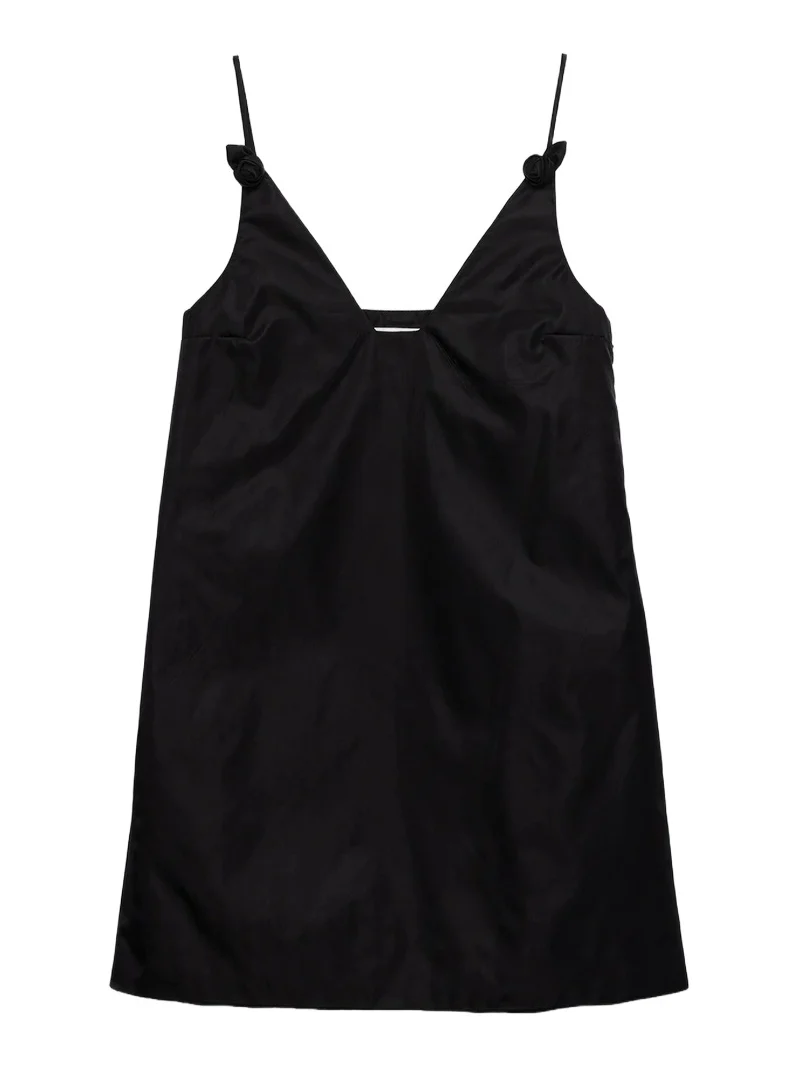 PradaWomen's Nylon Mini-Dress with Floral Appliqués - Black$1,720
Sign in for your closet and the AI stylist in ChatGPT
The first time you ask about something personal, the assistant asks you to connect: you sign in to Vêtir with Google, Apple or an email code, choose what the app may do, and carry on. Signed in, an assistant can reach:
- Your digital closet: search what you own; add a shop piece, or photos of your own clothes, which Vêtir cuts out and describes in about a minute and keeps private; edit a piece's notes, size or seasons. Deleting is deliberately not offered.
- Outfits and moodboards: open saved ones, and save new outfits from closet pieces and shop products.
- The Vêtir AI stylist: complete looks for an occasion, trip, weather or mood, from your closet and the shop, with the reasoning behind each piece. Start it from a shop piece, something you own or a photo.
- Outfit of the Day and your week: today's looks from your closet, from new arrivals and a mix, and a seven-day plan made with the weather in mind.
- Favorites and orders: saved pieces, and each order's status and tracking.
It is the same Vêtir AI stylist as on the website and in the app, reading the same closet and shop, so a look built in Claude follows the same house styling and an outfit saved from ChatGPT waits in your Outfits. To start on Vêtir itself, ask our AI stylist directly; how the Vêtir AI stylist builds a look explains what happens behind the answer.
With the dress chosen, ask about shoes. Black satin keeps the line unbroken from hem to floor, a burgundy sandal adds one deliberate color, and a 25mm pump suits a party spent standing, so tell the stylist how long you will be on your feet. More evening pumps and flats are in our party shoes guide.
Ask the stylist: “what shoes go with this dress?”
 Gianvito RossiWomen's 95MM Crystal-Embellished Satin Sandals$1,395
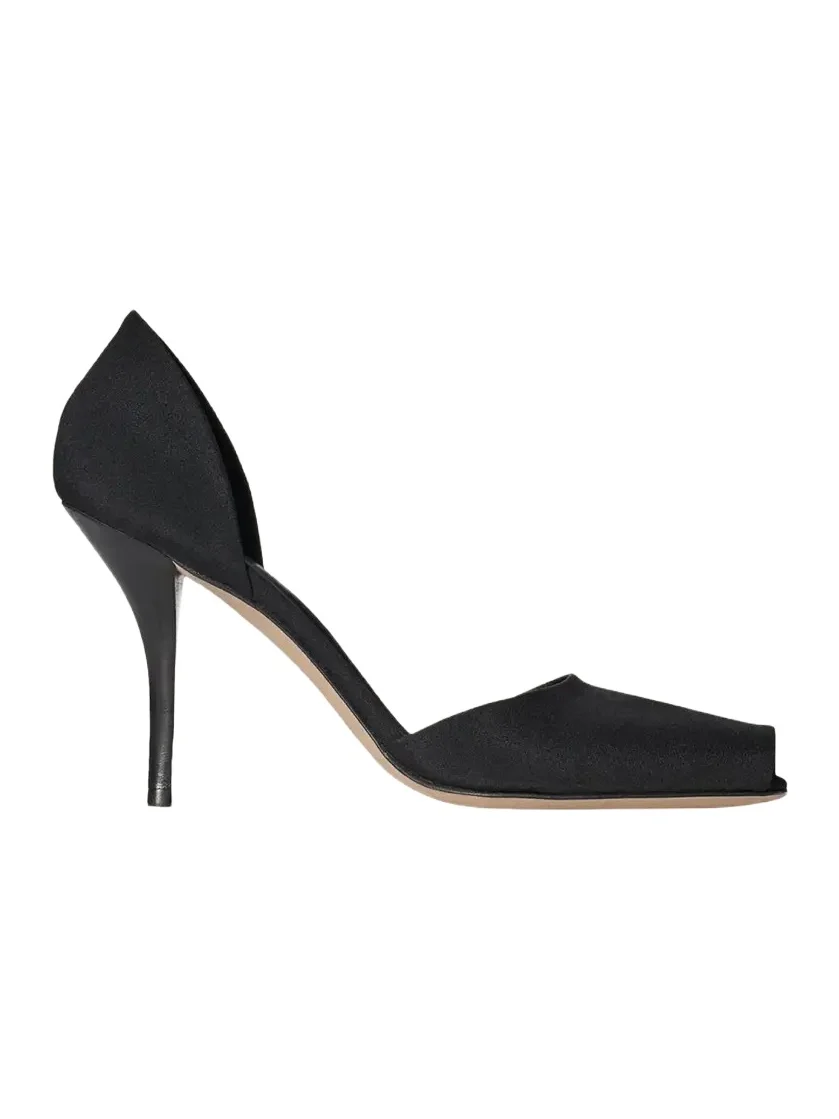 The Row80mm Noor Satin d'Orsay Peep-Toe Pumps$1,150
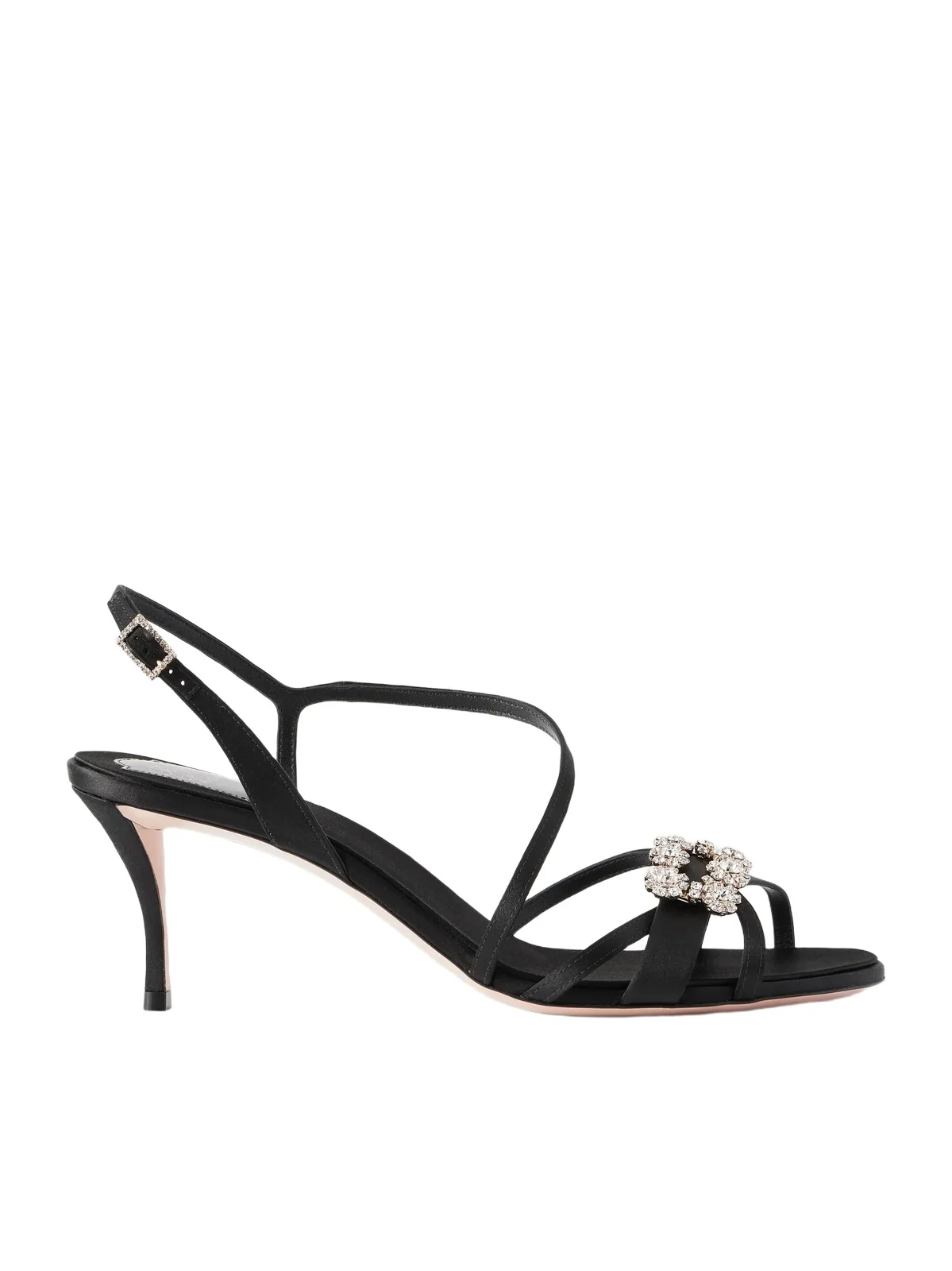 Roger VivierEfflorescence 65 Crystal-embellished Satin Sandals$1,595
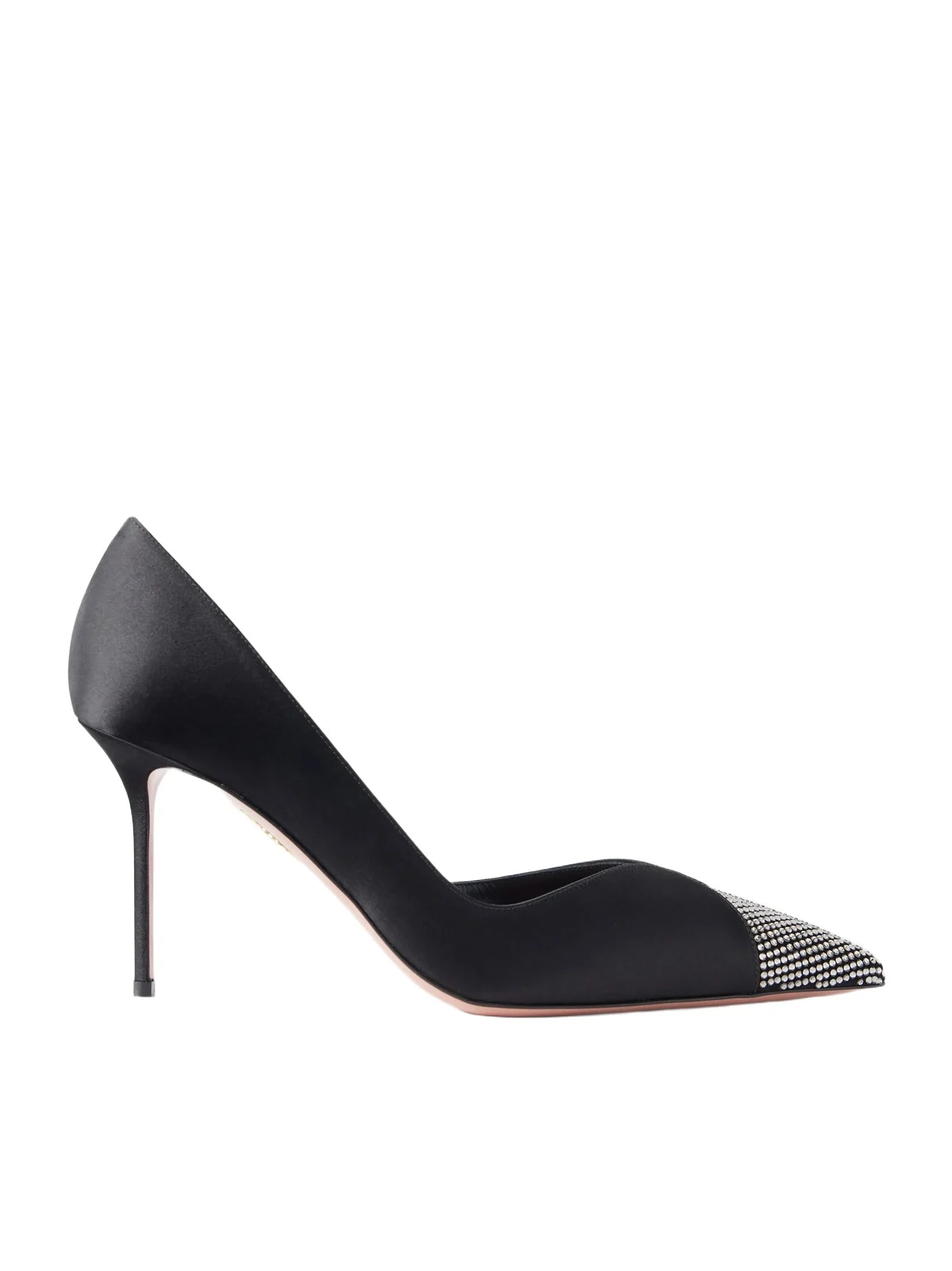 AquazzuraNarcisse 85 Crystal-embellished Satin Pumps$1,360
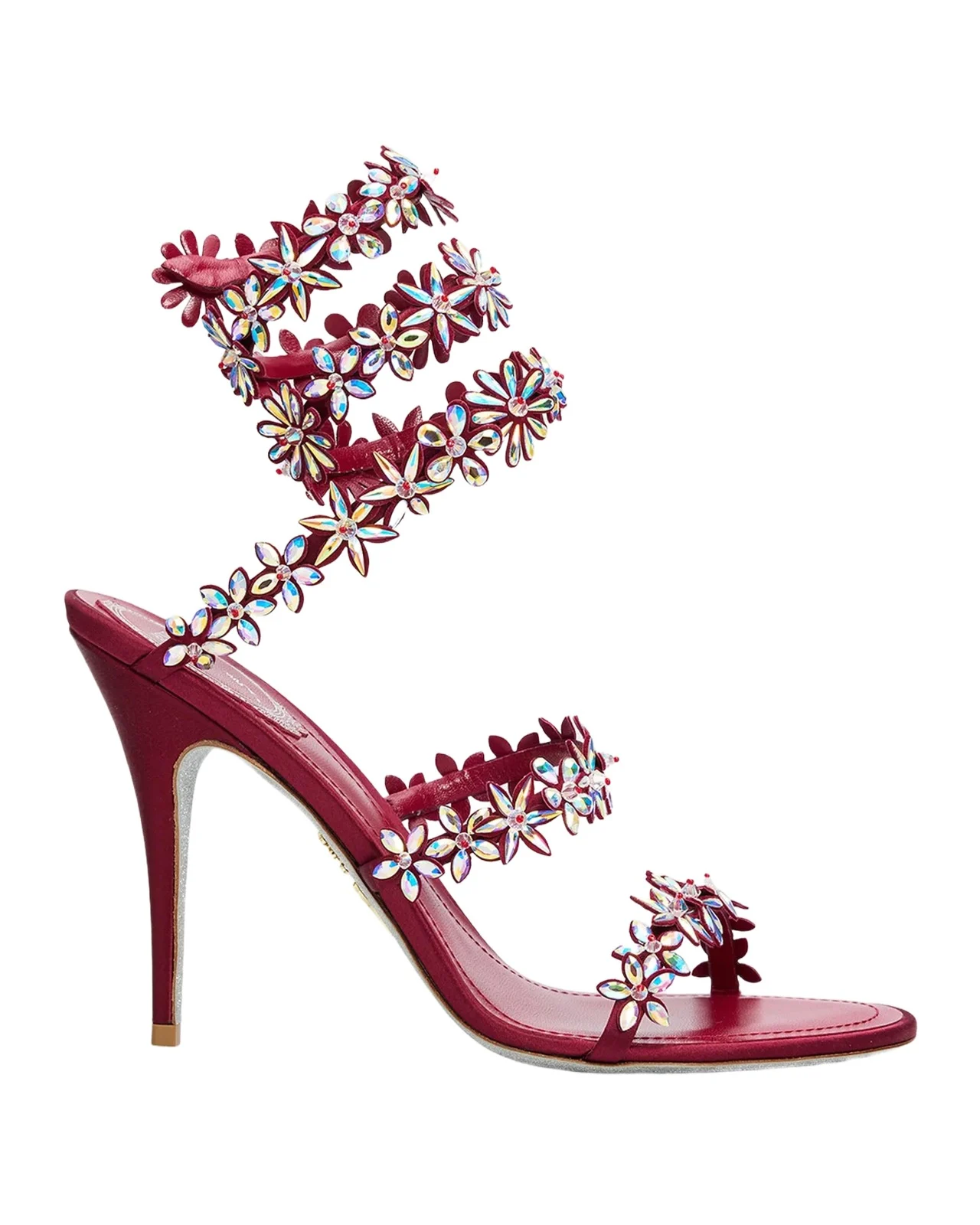 René Caovilla100mm Floral Crystal Satin Ankle-Wrap Sandals$1,980
 Manolo Blahnik25mm Hangisibar Satin Crystal Buckle Pumps$1,395
You decide what an assistant can do
Connecting an app opens a consent screen on vetirapp.com that names the app and lists what it is asking for:
- See your profile, favourites and orders
- See your closet, outfits, moodboards and Outfit of the Day
- Add and edit pieces in your closet, and save outfits, moodboards and favourites
- Ask the Vêtir AI stylist for outfits from your closet and the shop
Choose read-only and the app loses the third line: it can look and ask the stylist, but not change your account, and a request to the stylist to add something to your closet is declined. Whatever you choose:
- Your password stays with Vêtir. You sign in on vetirapp.com, never inside the assistant, and the app receives only a pass for what you allowed.
- Some things never leave. Answers to an assistant carry no email address, phone number, delivery address or card details.
- You can disconnect at any time. Sign in on our assistant page to see each connected app, what it may do and when it was last used, and choose Disconnect: its next request is refused.
The assistant fills the bag; you pay on Vêtir
No assistant can place an order or use a saved card. Before building a bag it rechecks that every piece is available and that your size is one the house lists, and stops to ask you if anything is off. Then it hands you a link that opens vetirapp.com with the pieces in your bag, signed in or not, where you review and pay. The link holds the pieces and sizes and nothing about you: it is the same shared-bag link the website makes. Even the AI stylist has its ordering steps switched off when an assistant calls it. The conversation belongs to the app you use and follows its privacy policy; Vêtir receives only what a tool call asks for.
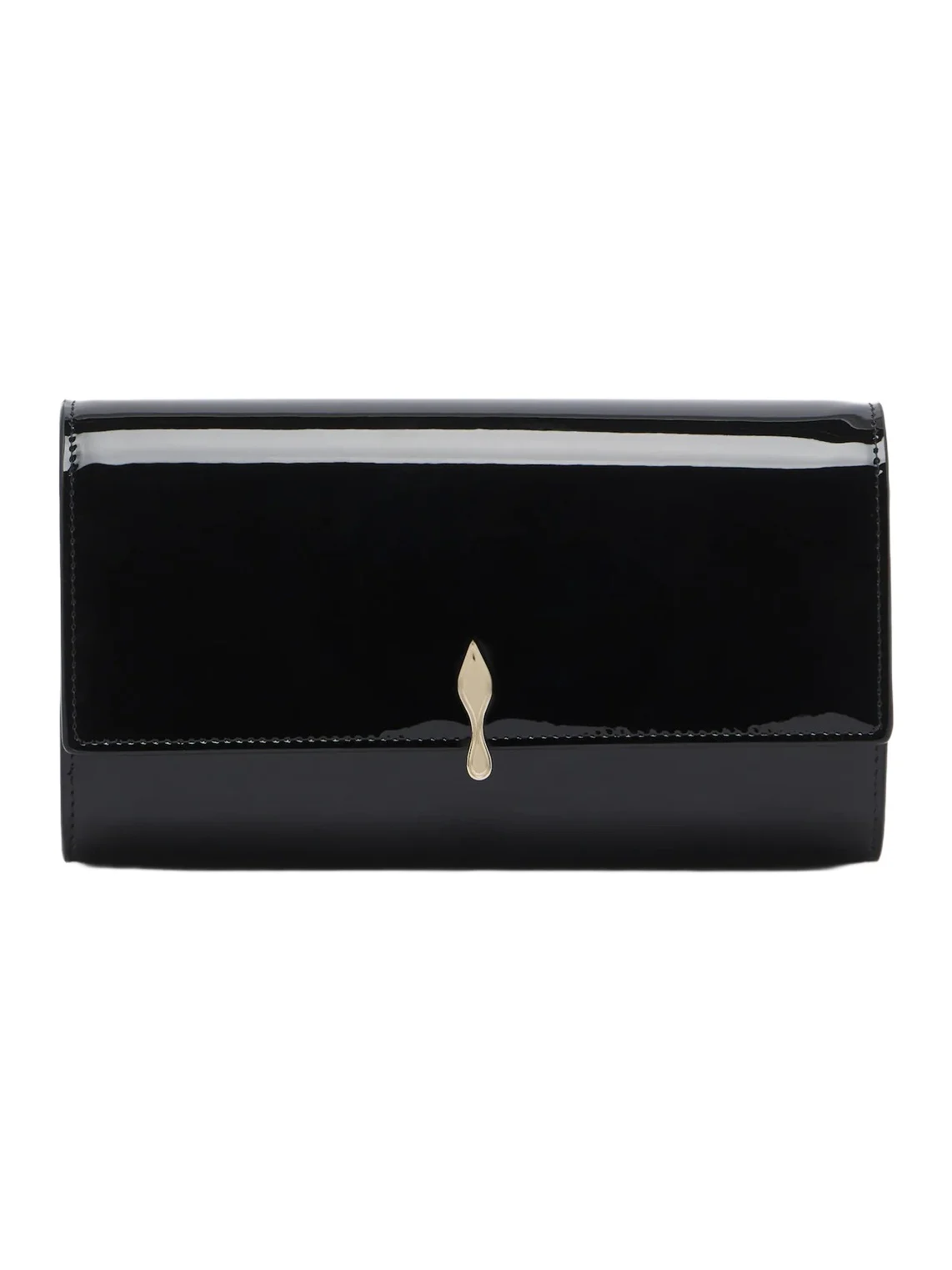
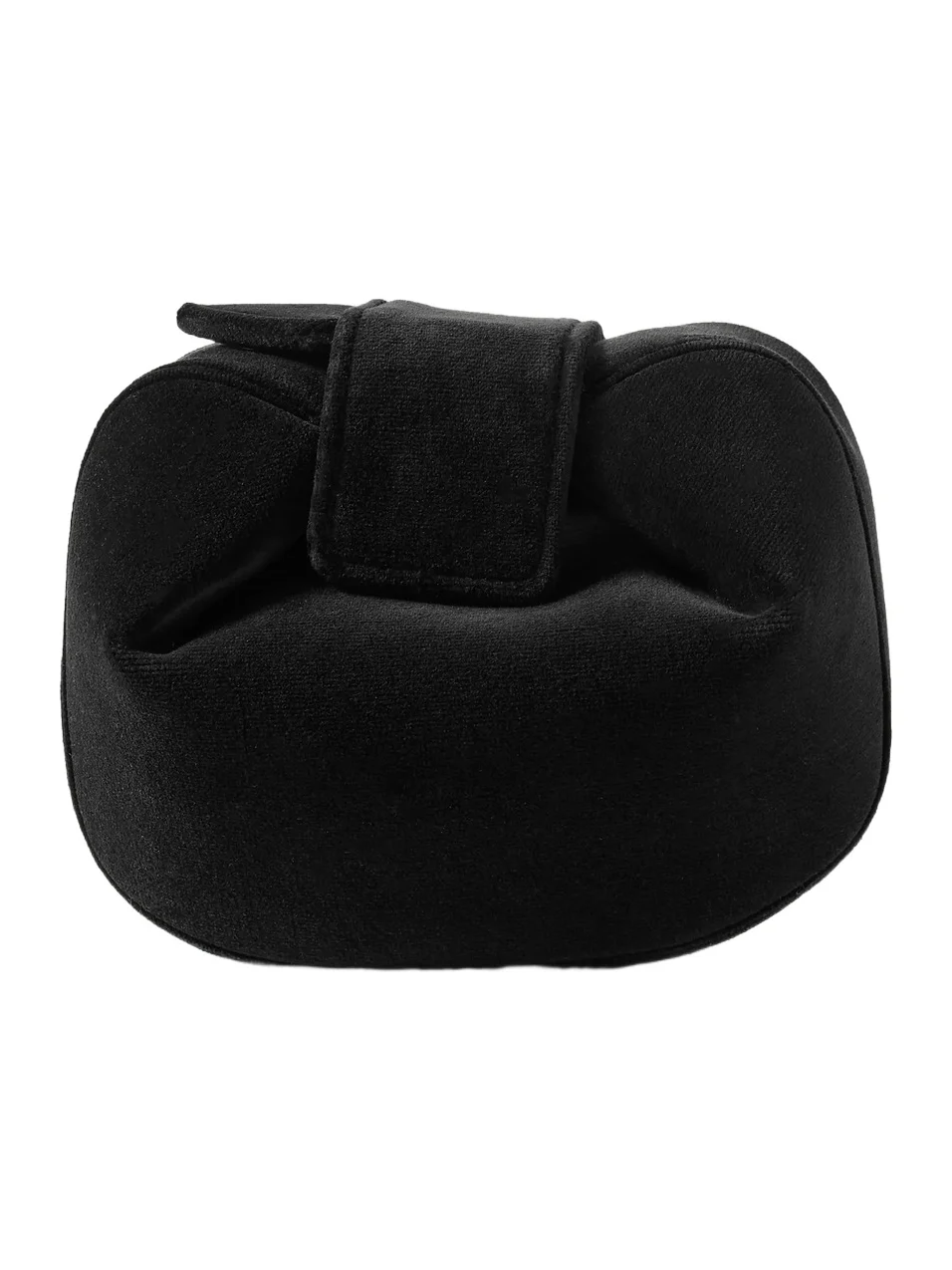
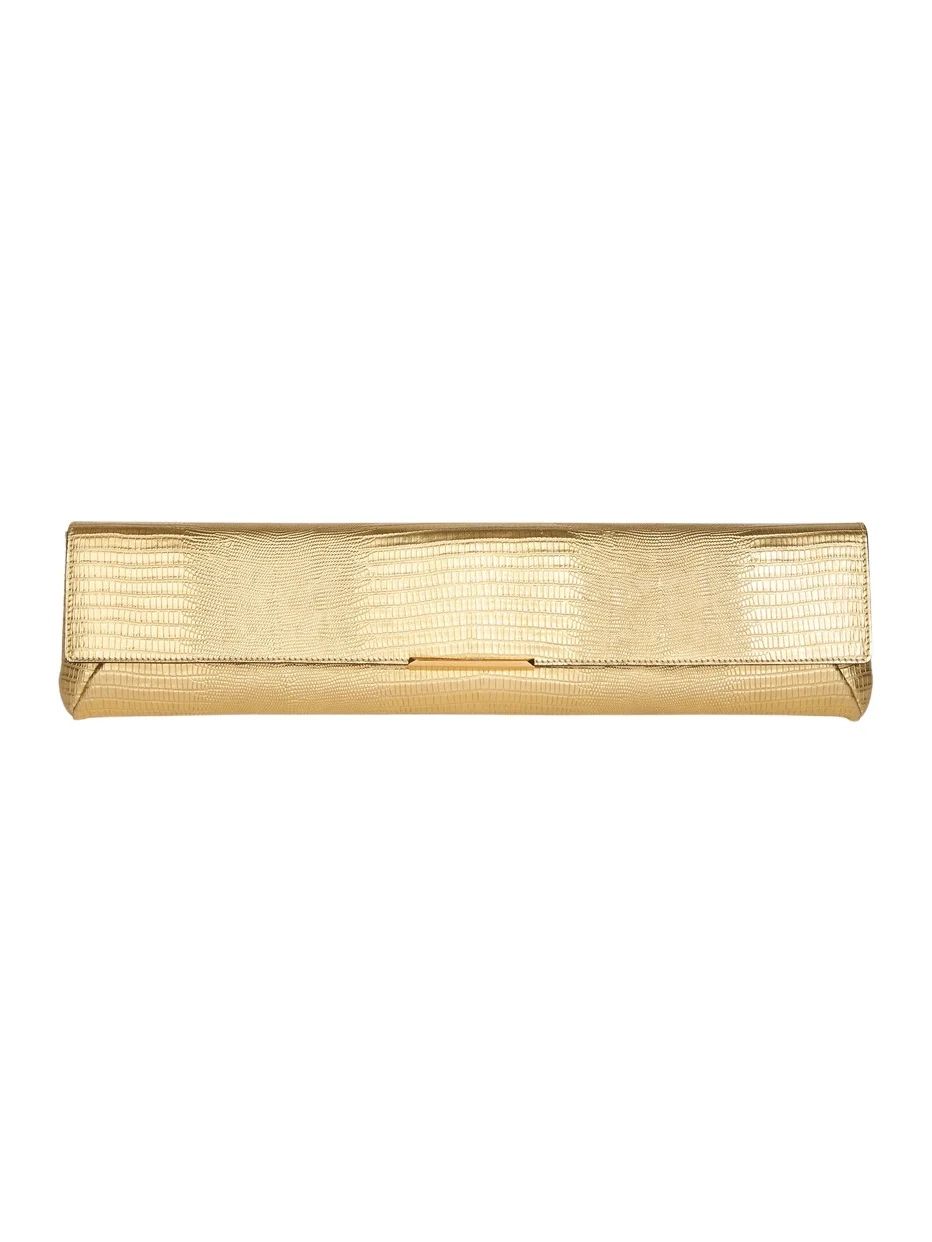
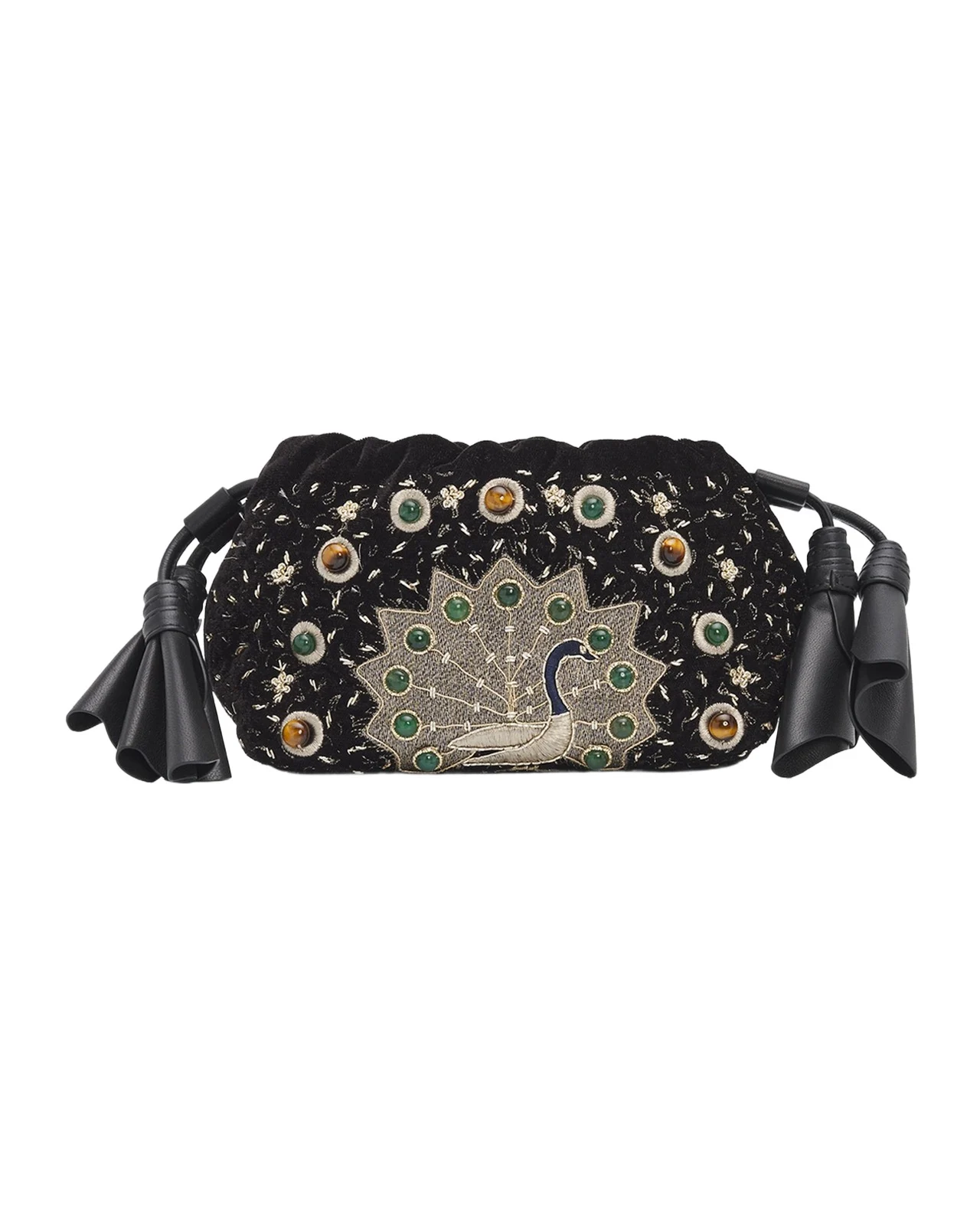
A clutch is the easy last step: it is one size, so the bag needs sizes only for the dress and shoes. Black patent or velvet disappears against a black dress, Saint Laurent's burgundy patent Kate picks up a burgundy sandal, and champagne metallic lifts black without a second color. See more clutch bags, or our evening bags guide.
Then: “a clutch to carry with it, and put all three in a bag in my sizes”

How to set up Vêtir in ChatGPT
- In ChatGPT on the web, open Plugins, choose + and then Add custom MCP server.
- Name it Vêtir and, under Connection, paste the MCP link (
https://api.vetirapp.com/mcp) as the server URL. For authentication choose OAuth or no authentication. - Read the warning, choose I understand and want to continue, then Create as a plugin, and install the plugin it creates.
- In a new chat, type @ and pick Vêtir. Search and trends work straight away; the first time you ask about your closet or the stylist, ChatGPT asks you to connect. Sign in to Vêtir and choose Allow.
OpenAI's guide to connecting a custom MCP server calls that sign-in choice mixed authentication: shopping works without an account, and ChatGPT asks you to connect only when you ask about your own account. On a work account, your workspace's permissions decide whether you can add one.
How to add the Vêtir connector to Claude and Claude Code
Claude on the web and desktop
- Open Customize → Connectors, choose + Add and then Add custom connector.
- Name it Vêtir, paste the MCP link and choose Continue, then Continue again once Claude has read its sign-in settings. For authentication choose Sign in when needed (OAuth client: Use Claude's published identity), then Add.
- Search and browse straight away. When you ask about your closet, Claude shows Connect. Sign in to Vêtir and choose Allow.
Claude's help center lists custom connectors on every Claude plan, with Free accounts limited to one, and a connector you add also works in Claude's mobile apps. On Team and Enterprise plans an owner adds it for the organization, and you then choose Connect next to it under Customize → Connectors.
Claude Code
Run this once in a terminal. It adds Vêtir for all your projects:
claude mcp add --transport http --scope user vetir https://api.vetirapp.com/mcp
Search works straight away. For your closet and the stylist, run /mcp in Claude Code, pick vetir and choose Authenticate, or run claude mcp login vetir. Claude Code's MCP documentation explains the user scope and the sign-in flow.
Other apps that work
The same link works in Cursor, VS Code in Copilot agent mode, Codex, Gemini CLI and any app that supports MCP over Streamable HTTP, with no key; apps that support MCP sign-in ask you to sign in to Vêtir when you first use a personal tool. Their configuration lines are on our setup page, with a plain-text guide written for assistants to read.
Newly supported: Meta's Muse, on the web and in its app. You create the connector by asking Muse in a chat: shopping needs no key, and your closet and the stylist use a personal API key; our setup page has the steps.
Under the hood: how Vêtir's fashion MCP server works
Three constraints shaped the design: the assistants come from different companies and change on their own schedules; your password and payment details must never pass through them; and none should hold a copy of the catalog that can drift out of date. So there is one public endpoint that speaks the open protocol, a sign-in service of our own built on OAuth 2.1, and a thin layer of tools over the services that run the Vêtir app and website.
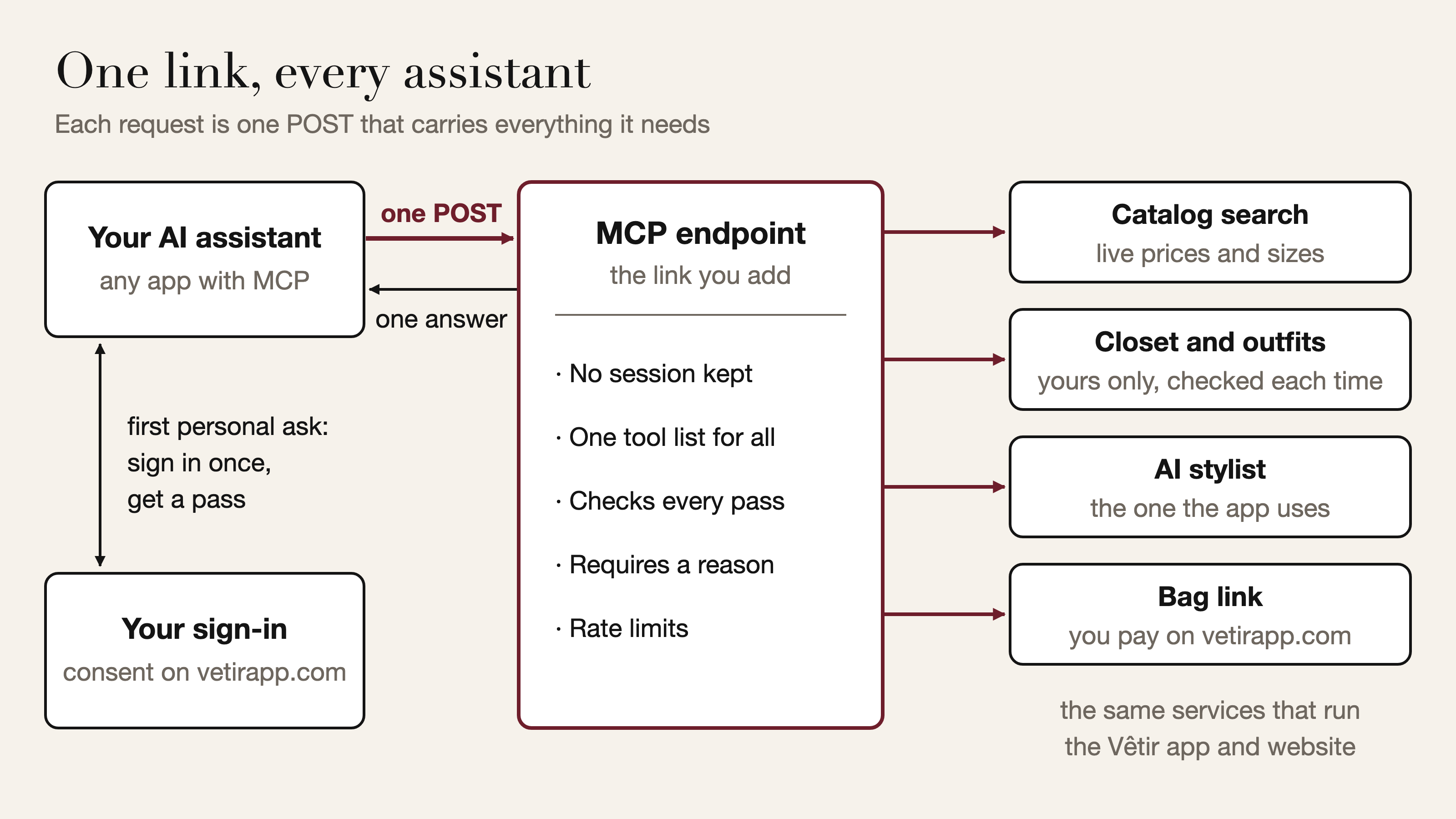
One link, one POST, one complete answer
The endpoint uses MCP's Streamable HTTP transport: every JSON-RPC 2.0 message is its own HTTP POST, and although the transport allows a streamed reply, every request here gets one complete JSON answer. The current revision of the specification removed protocol-level sessions and the GET event stream, and that is the revision we speak. Each request carries its protocol version, in the body and again in a header, and, once you are signed in, your pass, so there is no handshake and no connection state. Newer apps can ask server/discover what we support; older ones get the initialize handshake on the same link.
With no session to create, store, expire or move, a dropped connection costs only a retry: the next request arrives complete. The specification copies the method and tool name into headers so a proxy can route a request without parsing its body, and has servers refuse any request whose headers and body disagree, so the proxy and the server cannot act on different instructions; we refuse every mismatch. Against DNS rebinding, the specification has servers check the Origin header; ours refuses a call from any plain-http page that is not on your own computer. Opened like a web page, the link explains how to add it as a connector.
A tool menu written for assistants
An assistant learns what Vêtir can do from tools/list. Each tool carries a description written for an assistant to read (what it does, what it returns, which tool to call next), an input schema that allows no unlisted fields, and the protocol's four behavior hints: read-only, destructive, idempotent and open-world. Searches and lookups are marked read-only, so an app knows a call changes nothing. Among the tools that write, the idempotent hint marks which are safe to retry, such as saving a favorite, and which add something new on every call, such as a photo import.
The list is the same for every caller, built once when the server starts and sent with a public caching hint, so apps and shared caches can keep it. That includes the personal tools, each labeled with the permission it needs: the protocol would let us hide them until you sign in, but an app can only offer sign-in for a tool it knows exists. Every call must also carry a reason, a short sentence on how it serves your current request. It is checked before any tool runs, never stored or logged, and never treated as consent, which only the consent screen gives. Standing instructions set the house rules, from confirming sizes before a bag to treating product text and closet notes as information, never as instructions.
What one call looks like
One real exchange with the public endpoint, made with no account in late October, trimmed and with prices left out. Read it as the shape of an answer: the same search on another day returns whatever the live catalog holds then.
POST https://api.vetirapp.com/mcp
MCP-Protocol-Version: 2026-07-28
Mcp-Method: tools/call
Mcp-Name: search_products

{"jsonrpc": "2.0", "id": 3, "method": "tools/call",
 "params": {"name": "search_products",
  "arguments": {"query": "black velvet mini dress", "max_price": 3000, "limit": 3,
    "reason": "The person asked for a black velvet party dress under $3,000."},
  "_meta": {"io.modelcontextprotocol/protocolVersion": "2026-07-28",
    "io.modelcontextprotocol/clientCapabilities": {}}}}

HTTP 200
{"jsonrpc": "2.0", "id": 3, "result": {"resultType": "complete",
 "content": [{"type": "text", "text": "Vêtir search “black velvet mini dress” …\n- Khaite — Astor draped cotton-blend velvet mini dress · $… · sizes US0/US2/US4/… · id 6ad8c2d5b775ec54b5c3d978 · https://www.vetirapp.com/product/…\n…"}],
 "structuredContent": {"items": [
   {"brand": "Khaite", "title": "Astor draped cotton-blend velvet mini dress",
    "price": "…",
    "url": "https://www.vetirapp.com/product/…"}, …]}}}
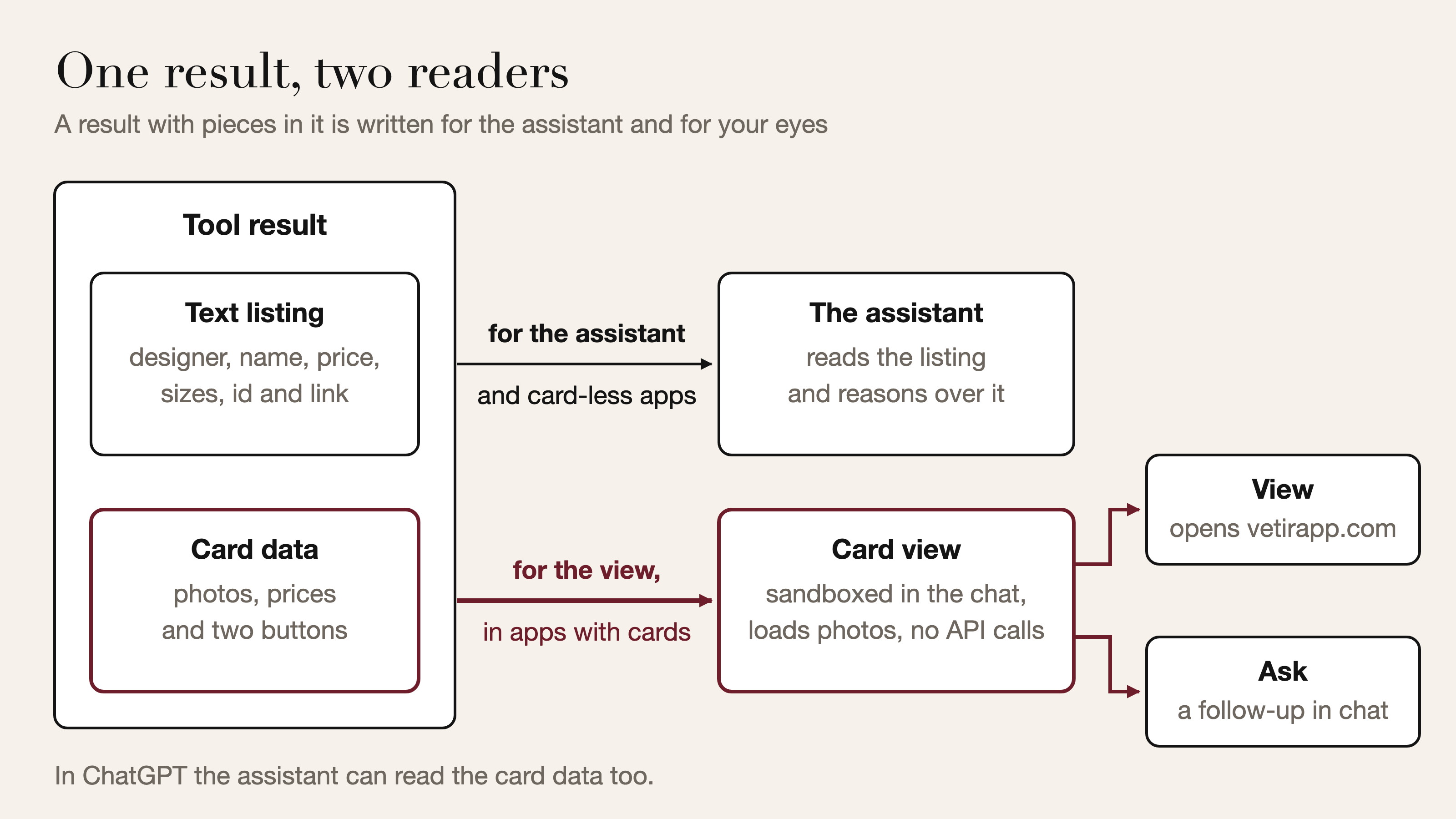
The answer has two parts. content is a compact listing the assistant reads: designer, name, price, sizes, id and link for each piece. structuredContent feeds a card view: one self-contained page published under MCP Apps, the protocol's extension for interactive results; Claude and ChatGPT both document support for it. An app that supports it draws the page in a sandboxed frame; one that does not reads the listing alone. The page shows photos but makes no API calls of its own, and its buttons either open the piece on vetirapp.com or send a follow-up question. The extension intends card data for the view, not the assistant, but OpenAI's documentation says ChatGPT reads it too, so only tools that show pieces send it; everything else, such as an order's status, comes back once, as text.
Anonymous first: how a 401 starts sign-in
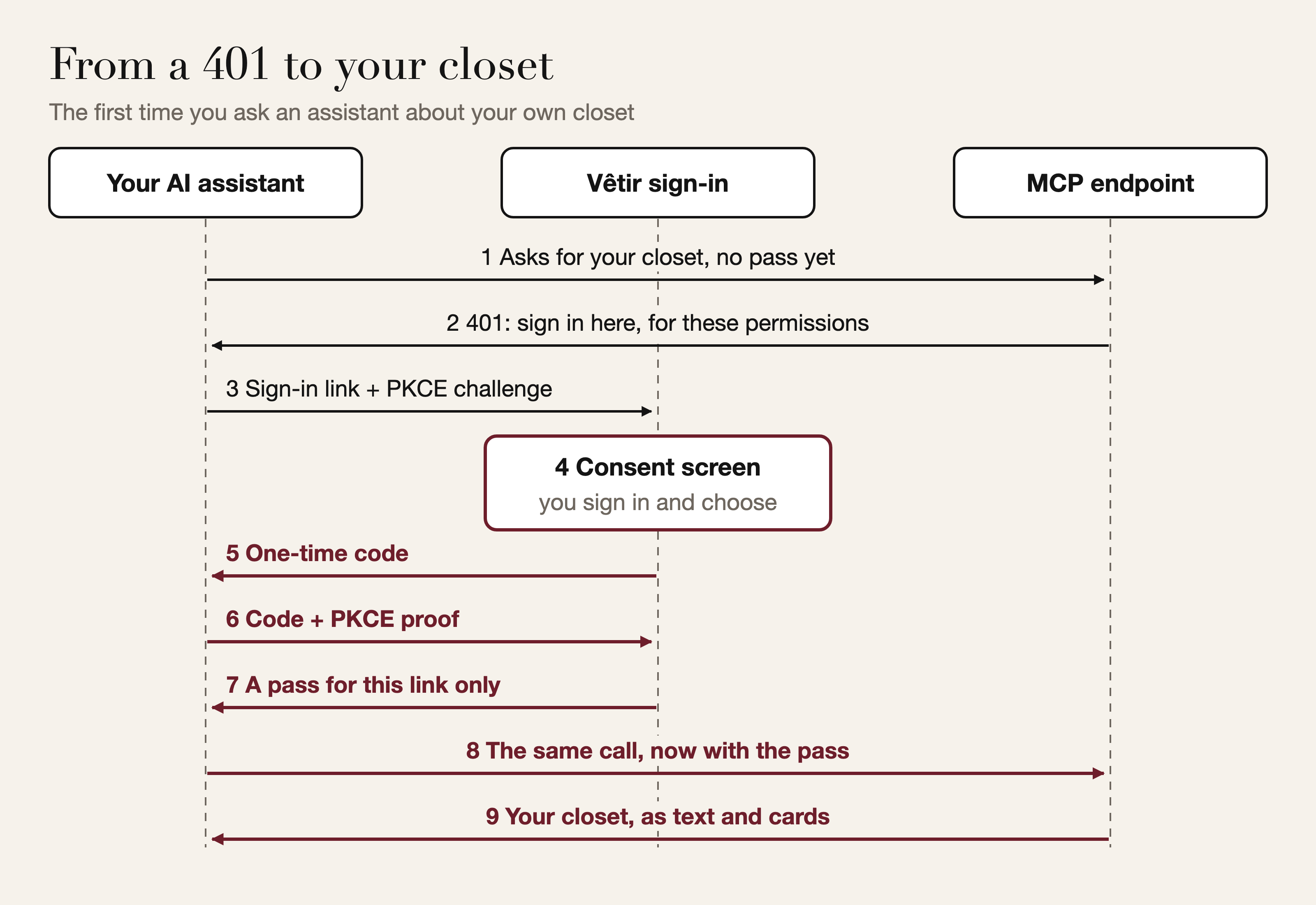
A request without a pass is served: discovery, the tool list and every shopping tool. When an assistant calls a personal tool without one, the server answers with the signal that app understands. Most get HTTP 401 with a WWW-Authenticate challenge pointing to Vêtir's protected resource metadata (RFC 9728) and naming the permissions to ask for, account:read closet:read closet:write stylist. ChatGPT's mixed authentication looks for the challenge inside a tool error result instead, so ChatGPT gets it there. From the metadata the app finds our authorization server's metadata (RFC 8414) and opens sign-in in your browser.
A pass that has expired, or whose connection was removed, is a 401 for every app, so the app refreshes or reconnects. A valid pass that lacks a permission, such as a read-only connection asked to save an outfit, gets insufficient_scope naming the permission the call needs (a 403 for most apps, the in-result challenge for ChatGPT), so the app can ask you to approve more.
OAuth 2.1 for apps we have never met
Vêtir runs its own authorization server, built to the profile the MCP specification sets out. Every sign-in starts with the authorization code flow and PKCE: the app sends a hash of a secret when it opens sign-in and proves it holds the secret when it collects the pass, so an intercepted code is useless. Only the S256 method is accepted. The client-credentials grant is refused, because no pass for a person should exist without that person's approval, and every authorization response names its issuer (RFC 9207), so an app that checks it, as the specification requires, cannot be tricked into sending its code to the wrong server.
The harder problem is trusting an app that never registered with us. The specification's current answer is the client ID metadata document: the app's client ID is an https address, and we fetch the JSON there for its name and permitted return addresses. Since whoever starts a sign-in chooses that address, the fetch is a textbook server-side request forgery risk, so it is fenced. It takes https and a host name only, never a bare IP address; every address the name resolves to must be public, checked as the connection opens so a DNS answer cannot change in between; no redirects are followed, and time and size are bounded; and the document must name the client ID it was fetched from. Apps that still use dynamic client registration (RFC 7591), which the current revision deprecates, meet the same return-address rules: a secure web address, a loopback address on your computer whose port may change between sign-ins, or the app's own scheme in a form that matches exactly. Anything wrong before a return address is trusted is shown on a Vêtir page, never sent to an unverified address.
The consent screen is a page on vetirapp.com, where you sign in as usual; it says where the answer will go (a website, an app on this computer or a named app) and to continue only if you started connecting from that app just now. The request arrives as a signed, short-lived description, so nothing is stored until you decide; your decision travels with your own Vêtir session rather than a cookie, so another website cannot approve for you; and the page cannot be framed. Only personal shopper accounts can connect, and an assistant always acts as you, never with staff powers.
A pass that works only here
The pass is a short-lived signed access token whose audience is the MCP endpoint alone, carrying who you are, which app and connection it belongs to, and what you allowed. Vêtir's own API refuses it, and the endpoint refuses a Vêtir app session in return, as the specification's ban on token passthrough requires, so a leaked assistant pass is useless elsewhere. Every call checks the pass and the connection behind it, so a disconnected app's next request is refused. The identity passed on to Vêtir's services comes only from that verified pass, never from anything an assistant writes, and every closet piece, outfit, import or order it names is checked against your account first.
Passes renew on their own through rotating refresh tokens: each works once and is replaced. A spent one presented later is treated as theft and ends its whole chain, while a retry moments after a successful refresh, from a lost response or two refreshes racing, is honored, so a patchy connection does not sign you out. A refresh can never add permissions. Codes are single-use and marked used in the same step that reads them, so two exchanges cannot both win, and a reused code ends the refresh chain it started. We store only one-way fingerprints of codes and refresh tokens, and Disconnect revokes the connection and all its refresh tokens together.
Apps that cannot open a sign-in page
Some apps run in someone else's cloud and cannot open a sign-in page, so a signed-in shopper can create a personal API key on vetirapp.com instead. It is shown once and only its hash is stored. It is read-only unless you ask for more and expires after a year, and it sits in your connected apps like any other connection, so Disconnect ends it on the next call. A key opens the same tools under the same rules. It cannot act as a Vêtir session, and it cannot create another key.
Slow work, retries and abuse
Most tools are lookups against the live catalog the website reads. Search vocabularies (designers, categories, colors, sizes) are kept in memory and reloaded once they age out, and an unrecognized designer or category becomes a search word, not an error. The overview that opens a signed-in chat fetches your profile, closet, outfits, favorites and orders at once, and if one of the last four fails it shows a gap, not an error. Two jobs take longer than a chat should wait. A photo import becomes the same background job as an upload from the Vêtir app or website, its photos processed in parallel, and the assistant gets an import handle to check, the pattern the specification suggests for state that spans calls; our guide to digitizing your closet explains how those jobs survive a restart without doubling your clothes. A week's plan is one job per person: asking again while it runs joins it, and a finished plan is kept for six hours.
Abuse protection is layered: per-minute limits per address for anonymous callers and per person once signed in, a wider ceiling on anonymous traffic that answers 429 with Retry-After, separate limits on registering apps and approving connections, and a daily allowance per person for the two heaviest tools, the stylist and photo imports. A problem an assistant can fix, such as a size the dress does not come in, comes back as a tool error it can act on; anything unexpected is logged on our side and replaced with a plain message.
What's next: video search and closet videos from your assistant
We are bringing Vêtir's two video features to the MCP server. You will be able to give an assistant a clip of a look you want to find, or a try-on haul you want in your closet, and get back matching designer pieces or new closet items. A video takes longer to read than a photo, so we plan to run both the way photo imports already run: as a background job that hands the assistant a handle to check on. Our roadmap covers this and the other things we are building.
How we chose these pieces
Each module follows one example ask. The dresses are black, from a velvet mini to an ankle-length slip, all under the ask's $3,000, and the Tom Ford, Carolina Herrera and Versace dresses all turned up in the search we ran. The shoes run from Manolo Blahnik's 25mm Hangisibar to René Caovilla's 100mm crystal ankle-wrap. We kept to black, burgundy, greige and champagne so any dress, shoe and clutch here works together, checked each photograph against its listing, and chose only new, full-price pieces from houses on our luxury list.
Frequently asked questions
Can I use Vêtir in ChatGPT?
Yes. In ChatGPT on the web, open Plugins, choose + and Add custom MCP server, paste https://api.vetirapp.com/mcp and choose OAuth or no authentication (steps above). Shopping works at once; ChatGPT asks you to connect your Vêtir account when you first ask about your closet.
Is there a Vêtir connector for Claude?
Yes. In Claude, add the same link under Customize → Connectors as a custom connector and choose Sign in when needed; in Claude Code, run the claude mcp add command above once. Claude's Free plan allows one custom connector.
Do I need a Vêtir account to shop from an AI assistant?
No. Search, trends, product details, similar pieces and a ready bag work without one. Your closet, outfits, the AI stylist, favorites and orders need you to sign in with Google, Apple or an email code.
Can ChatGPT or Claude buy clothes for me on Vêtir?
No. It can fill a Vêtir bag and give you the link, but it cannot place an order or use a saved card; you check the bag and pay on vetirapp.com. Connecting an assistant is free.
Why does my assistant say it cannot connect to the Vêtir link?
Usually because the link was pasted into a chat message. An assistant can use Vêtir only once the link is added as a connector: Plugins in ChatGPT, Connectors in Claude, the claude mcp add command in Claude Code.
Keep reading
- How the Vêtir AI stylist builds a look
- How to digitize your closet from a video
- What's next for Vêtir
- The best cocktail dresses for the holiday season
- The best evening bags, from clutches to chain bags
Written by Ashish Gupta, CTO of Vêtir.